
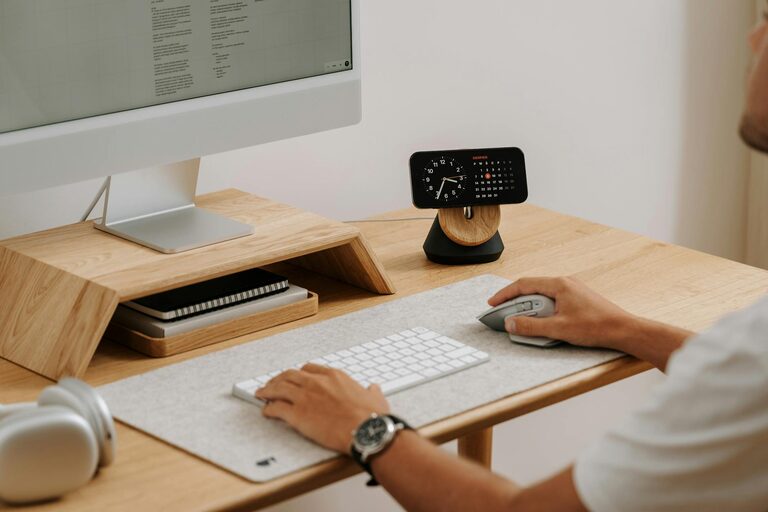
Setting up a home office that fosters both productivity and relaxation can be a real game-changer. Whether you work remotely full-time or occasionally take your tasks home, having a space that supports concentration while keeping stress at bay is essential. With thoughtful design and simple adjustments, your home office can become a comfortable, efficient zone where work feels less like a chore.
Why a Balanced Home Office Matters
Working from home has become common, but it’s not always easy to separate professional life from personal space. Without clear boundaries, work can bleed into your downtime, leading to burnout or distractions. Creating a home office with a calming atmosphere and practical organisation helps you:
– Focus better on tasks
– Reduce mental fatigue
– Maintain a comfortable posture and environment
– Create a clear division between work and relaxation
Choosing the Right Spot
Your home office’s location can make a big difference. Here are some things to consider:
Natural Light
Aim to position your desk near a window. Exposure to natural light improves mood, energy levels, and alertness during work hours. If natural light is limited, invest in full-spectrum bulbs that mimic daylight.
Quietness
Pick a place away from household noise or distractions. If this isn’t possible, noise-cancelling headphones or white noise machines can help you stay focused.
Space
Make sure you have enough room for your desk, chair, and storage, while still keeping the area uncluttered. A cramped space can feel stressful and limit your movement.
Ergonomics: Comfort Meets Health
Your body’s comfort has a direct impact on productivity. Poor posture or uncomfortable furniture can cause aches and fatigue.
Chair and Desk
Choose an adjustable chair with lumbar support to protect your back. Your desk should allow your elbows to be at a 90-degree angle when typing, with your feet flat on the floor or on a footrest.
Monitor Height
Position your screen so the top is at eye level. This reduces neck strain and encourages good posture.
Keyboard and Mouse
Keep your keyboard and mouse within easy reach. Using ergonomic devices can reduce wrist strain.
Organise to Maximise Efficiency
Clutter in your workspace can lead to distractions and wasted time searching for items.
Storage Solutions
Use shelves, drawers, or organisers to keep essentials like documents, stationery, and gadgets neatly arranged.
Cable Management
Tidy cables with clips, sleeves, or boxes. This keeps your desk neat and prevents accidental disconnections.
Digital Declutter
Maintain an organised desktop and well-structured folders on your computer. Regularly delete or archive old files.
Create a Calming Atmosphere
Working surrounded by calm and positive energy supports mental wellbeing.
Colours
Opt for soothing shades like soft blues, greens, or neutrals. Avoid overly bright or harsh colours that might cause eye strain.
Plants
Indoor plants improve air quality and add a touch of nature, which can calm the mind and increase creativity.
Personal Touches
Add a few personal items, like photos or inspirational quotes, but avoid overcrowding your desk.
Lighting for Focus and Comfort
Good lighting reduces eye strain and keeps you alert.
Layer Your Lighting
Combine overhead lights with task lighting such as desk lamps. Adjustable lamps allow you to control brightness according to the time of day and task.
Avoid Glare
Position screens and lights to avoid reflections or glare on your monitor.
Incorporate Break Areas and Movement
Sitting for long hours is detrimental to both health and focus.
Take Regular Breaks
Set timers to stand, stretch, or walk around every hour. This helps reset your concentration and reduces tension.
Create a Relaxation Spot
If possible, have a small area with a comfortable chair or cushions away from your desk. Use this space to take short mental breaks without distractions.
Maintain a Routine
Even when working from home, a routine encourages professionalism and mental clarity.
Set Work Hours
Define when your working day starts and ends. This helps separate work and personal time.
Dress the Part
Wearing work-appropriate clothing (even if casual) can make you feel more professional and focused.
Plan Your Day
Use to-do lists or digital planners to organise tasks. Prioritise important activities and allocate time slots.
Final Thoughts
Creating a relaxing and productive home office is an ongoing process. Start with these basic tips and adapt your space as you find what works best for you. A well-designed workspace not only improves efficiency but also supports your wellbeing, making work from home a more enjoyable experience.