
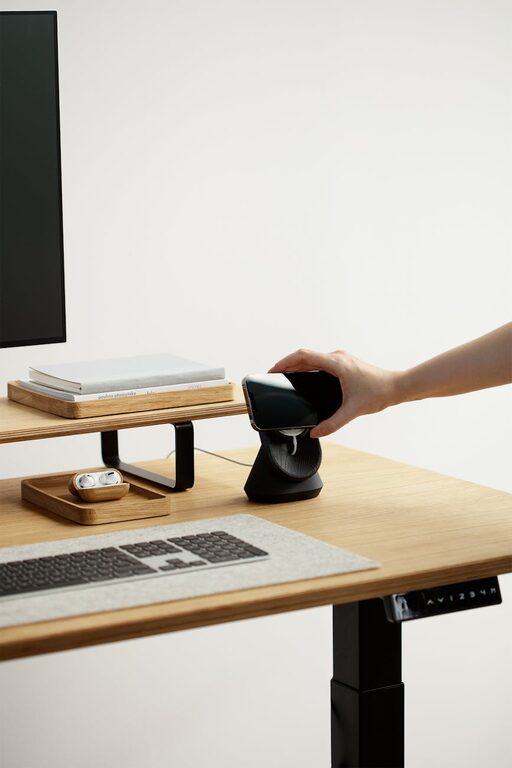
Creating a minimalist home office can be a game-changer for your productivity and well-being. A clean, clutter-free space not only helps reduce distractions but also promotes calmness and focus throughout your workday. Whether you are working remotely full-time or occasionally from home, setting up an effective minimalist office can boost your efficiency and comfort. Here are some practical tips to help you design a minimalist home office that works for you.
Why Choose a Minimalist Home Office?
Minimalism is about simplicity and functionality. By prioritising only the essentials, you can create a workspace that feels open, organised, and inviting. This approach reduces visual noise and helps clear your mind, allowing you to concentrate on tasks more easily. Moreover, a minimalist environment is easier to keep tidy, saving you time and stress.
Planning Your Minimalist Home Office
Choose the Right Location
Selecting a quiet and well-lit spot for your home office is crucial. Ideally, find a corner or room with natural light, as exposure to daylight can improve mood and alertness. Consider proximity to distractions—such as the TV or kitchen—and pick a place where you can focus without interruptions.
Define Your Needs
Think carefully about what you actually need for your work. Do you require a large desk? Multiple screens? Storage for files? Or do you prefer a simple laptop setup? Establish your must-haves versus nice-to-haves to avoid overcrowding your workspace.
Essential Elements for a Minimalist Home Office
Desk and Chair
Invest in a sturdy desk with a clean design—preferably one with a smooth surface and minimal detailing. Choose a comfortable ergonomic chair that supports good posture. Comfort is just as important as style because you will be spending hours seated.
Storage Solutions
Keep surfaces clear by incorporating smart storage. Use drawers, floating shelves, or minimalist filing cabinets to keep essential documents and supplies organised but out of sight. Avoid unnecessary knick-knacks that take up space and create clutter.
Technology Setup
Minimise cables and devices by using wireless options where possible. A simple monitor stand or docking station can raise screens to eye level and free up desk space underneath. Remember to clean and organise cables regularly to maintain a tidy look.
Design and Decor Tips
Neutral Colour Palette
Stick to soothing neutral colours such as whites, greys, or light beiges. These tones enhance the feeling of space and keep the focus on your work. If you prefer, you can add small accents of colour to personalise the room without overwhelming the minimalist aesthetic.
Lighting
Complement natural light with optimal artificial lighting. Use a sleek desk lamp or adjustable floor lamp to ensure your workspace is well-lit during darker hours. Soft, warm light is easier on the eyes and helps prevent fatigue.
Personal Touches
Minimalism doesn’t mean your workspace has to be sterile. Include a few personal items like a small plant, a piece of art, or a meaningful photo. These elements can boost your mood and make the space more inviting, but keep them limited to avoid clutter.
Organising Tips for Productivity
Declutter Regularly
Set aside time at the end of each day or week to clear your desk and organise papers. Regular decluttering helps maintain the minimalist feel and prevents work from spilling over into clutter.
Use Digital Tools
Reduce paper use by adopting digital organisation tools such as cloud storage, digital planners, or note-taking apps. This approach minimises physical items and helps keep your workspace clean.
Create Zones
If your space allows, designate specific areas for different tasks. For example, a main desk for computer work, a side table for reference materials, and a comfortable chair for reading or breaks. Zoning your office encourages better focus and workflow.
Comfort and Well-being in a Minimalist Office
Ergonomics
Pay attention to the ergonomics of your setup—you want to avoid strain or discomfort that can negatively affect productivity. Your monitor should be at eye level, feet flat on the floor, and wrists straight when typing.
Break Area
Even in a minimalist home office, it’s important to have a small area where you can stand, stretch, or take a short break. This might be a simple yoga mat or a small stool by a window. Movement throughout the day reduces stiffness and improves concentration.
Air Quality and Greenery
Good air circulation is essential for a comfortable workspace. A window that opens or a small air purifier can help. Additionally, introducing a low-maintenance plant can improve air quality and add a natural element without cluttering your desk.
Final Thoughts
Creating a minimalist home office is about finding the right balance between simplicity and functionality. By carefully selecting your furniture, decluttering regularly, and paying attention to comfort, you can design a space that fosters productivity and well-being. Remember, minimalism is a personal journey—tailor your office to suit your work style and preferences for the best results. With these tips, your home office can become a peaceful and efficient place to get things done.