
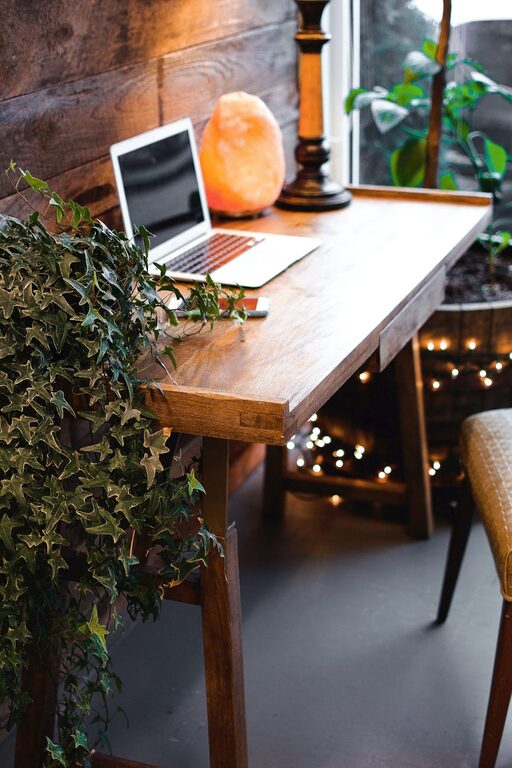
Creating a home office that is both comfortable and productive is essential in today’s world, whether you work remotely full-time or just need a quiet spot to focus occasionally. A well-designed space can enhance your concentration, reduce stress, and improve your overall work experience. Here are some helpful tips to guide you in setting up a home office that suits your needs.
Choose the Right Location
The first step is to select a spot in your home that suits your work style and daily routine.
– Quiet and Private: Ideally, pick a room or corner away from high-traffic areas to minimise distractions.
– Natural Light: Position your desk near a window if possible; natural light can boost mood and reduce eye strain.
– Comfortable Temperature: Ensure the space is well-ventilated and maintains a comfortable temperature throughout the day.
Invest in Ergonomic Furniture
Your furniture plays a big role in comfort and health during long working hours.
– Ergonomic Chair: Choose a chair with adjustable height, lumbar support, and comfortable cushioning to maintain good posture.
– Appropriate Desk: Select a desk at the right height so your arms rest comfortably while typing; standing desks can be a great option for some.
– Monitor Placement: Keep your computer screen at eye level and about an arm’s length away to prevent neck and eye strain.
Create Functional Layout and Storage
An organised workspace aids productivity and reduces clutter-related stress.
– Desk Organisers: Use trays, pen holders, or small containers to keep essential items within easy reach.
– Shelving Units: Add shelves or cabinets for storing books, files, and equipment neatly.
– Cable Management: Use clips or cable ties to keep wires tidy and avoid tripping hazards.
Personalise Your Space Thoughtfully
A few well-chosen decorations can create a pleasant work environment without causing distractions.
– Plants: Adding greenery can improve air quality and create a calming atmosphere.
– Artwork: Choose inspiring or calming pictures, but avoid overly bright or busy designs.
– Lighting: Use a good desk lamp with adjustable brightness for focused tasks during darker hours.
Establish Boundaries and Routine
To maintain productivity, especially when working from home, clear boundaries are important.
– Dedicated Working Hours: Set specific start and finish times, just like you would in an office.
– Break Area: Designate a separate spot for breaks to help mentally switch off from work.
– Minimise Distractions: Turn off notifications on unrelated devices and communicate your work hours to family members.
Utilise Technology Wisely
Technology can improve efficiency if used properly.
– Reliable Internet: Ensure you have a stable internet connection to avoid interruptions during meetings.
– Quality Equipment: Use a good quality headset or speakers and a webcam for clear communication.
– Backup Systems: Regularly save work and consider cloud storage for easy access and safety.
Keep It Clean and Clutter-Free
A tidy environment promotes focus and reduces stress.
– Daily Tidying: Take a few minutes at the end of each day to clear your desk.
– Declutter Regularly: Get rid of unnecessary papers or supplies that pile up.
– Maintenance: Clean your devices, keyboard, and mouse routinely to keep the space hygienic.
Prioritise Comfort and Well-being
Your physical and mental well-being is crucial for sustained productivity.
– Movement Breaks: Stand up, stretch, or take short walks to avoid stiffness.
– Hydration and Snacks: Keep a bottle of water and healthy snacks nearby to maintain energy levels.
– Noise Control: Use noise-cancelling headphones or background music if it helps you concentrate.
—
By thoughtfully designing your home office with these tips, you can create a space that not only looks inviting but also helps you stay focused and productive throughout the day. Remember, the key is to tailor the environment to your personal preferences and work habits for the best results.